We would like to inform you that, from 24 November to 31 Decemberwill be carried out in new edition of the Bono Consumo Torrevieja campaign.
Here are the details of the instructions and requirements you should take into account in order to participate in this new call for applications.
How do I register?
Visit the website https://torrevieja.bonoconsumo.es/#/es/altas a from today, Wednesday 12 November
What documentation do I need to provide?
In addition to the usual data: business name, company name, VAT number, etc. You will have to attach 3 files.
1. Image of the establishment.
2. Certificate of ownership of the bank account where you want us to make the settlements.
3. IAE certificate with the epigraph of the activity in which your establishment is registered and authorised to participate. A certificate from the AEAT or a form 036 with the IAE in question will do. Please send the complete document and not individual sheets.
My IAE does not appear on the list
Check that your IAE is included in the admitted epigraphs: https://torrevieja.bonoconsumo.es/pdf/iae.pdf
I have already registered. Is there anything else I need to do?
They will review your application and if the details are correct you will receive an email with your login credentials. If there is anything that needs to be corrected, they will contact you and tell you how to proceed. If your establishment does not meet the conditions of participation you will receive an email informing you that you have not been authorised to participate in the campaign.
I have already received my credentials, what should I do?
Once they have validated your participation and you have received your credentials, you will be able to login from https://torrevieja.bonoconsumo.es/#/es/admin
If you have already participated in previous editions, it is essential that you delete cookies and browsing data in your web browser first (explanation at the end). If you get an error message "Agent not logged in", you probably have saved the credentials from the previous campaign and you are trying to log in with them. If you do not know how to do this, seek assistance from an IT technician. It is a quick procedure that will not take you more than 1 minute.
Finally, you will have to enter the 4 fields you received by email in the login form
· Canal
· Terminal
- User
- Key
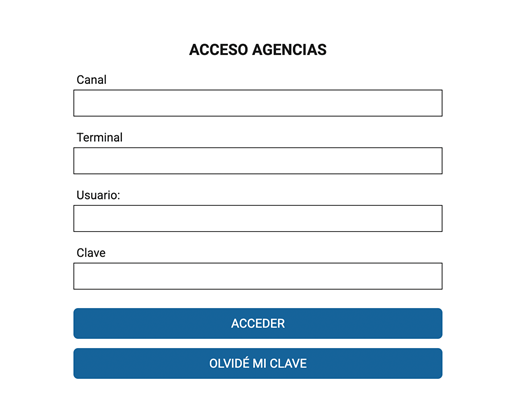
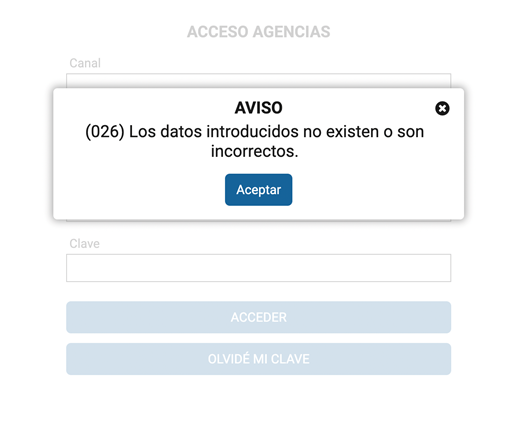
It is advisable to use the copy and paste option on your device to collect the data you have received in the email with your credentials and thus ensure 100% that the data you enter in the form are correct. If you enter any data incorrectly, you will receive the error "026 the data entered are not correct" and, after several unsuccessful attempts, a block of one hour with another error code. The 761.
Remember that if you have any questions you can contact:
We encourage you to participate in this new edition of Bono Consumo!
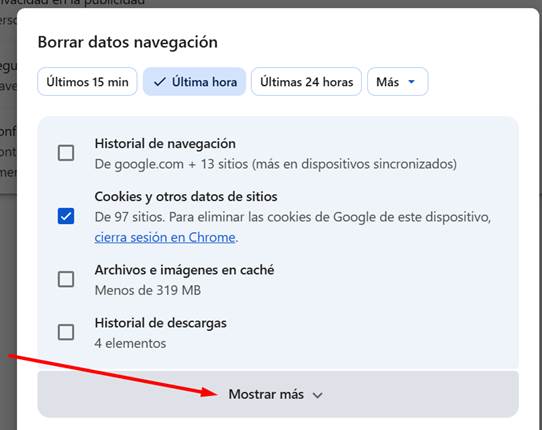
Instructions for removing thecookies Google Chrome:
STEP 1: Open the following link: chrome://settings/clearBrowserData
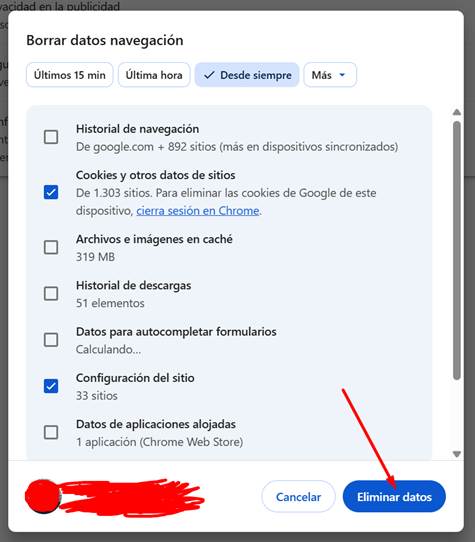
STEP 2: Brand "Since ever".
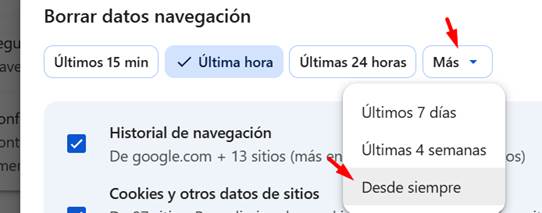
STEP 3: Select only "Cookies and other site data" + "Site settings". Leave the other options unchecked.
STEP 4: Click on "Delete data".
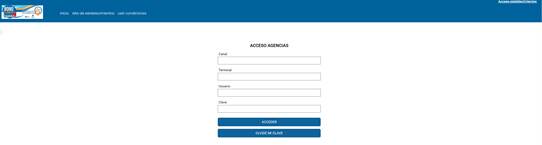
Now, when you access the login form for establishments, you should see the form with the 4 fields ready to enter data:
https://torrevieja.bonoconsumo.es/#/es/admin